
TL;DR · executive summary
What you’ll find in this article
A submitted form is an event. A sale is something else, and the two often do not reach the same report. When I ask a marketing manager how much money their last campaign generated, in my experience the usual answer is a number of leads. A lead is useful data, but it is not an invoice....
A submitted form is an event. A sale is something else, and the two often do not reach the same report. When I ask a marketing manager how much money their last campaign generated, in my experience the usual answer is a number of leads. A lead is useful data, but it is not an invoice.
This article follows the whole path: visit, lead, opportunity and invoice. What can be measured at each step, where traceability breaks and what I would do so that the sales data flows back to the campaign that originated it, for example with offline conversions.
What Analytics measures and what it misses
Analytics records what happens on your website: visits, clicks, submitted forms. In the accounts I review, what counts as a conversion is usually the form submission. What happens afterwards (whether the contact had the right role, whether they answered the phone, whether they asked for a proposal, whether they ended up paying) lives in the CRM and in invoicing, and does not reach Analytics unless someone connects it.
With that setup, the form from a director with a budget and the one from a student looking for information count as the same conversion. For your bottom line they are not the same.
The practical effect can be serious: an ad platform can optimise towards the conversion it is told about. If all it receives is the form, what it optimises is forms, not customers.
The journey: visit, lead, opportunity and invoice
To measure well you need to see the whole journey, with one question per stage and, in many companies, a different owner for each:
- Visit. Where they come from and with which campaign. It is measured on the website and is usually managed by marketing.
- Lead. A person leaves their details. It should reach the CRM with its source. Usually managed by marketing.
- Opportunity. Sales decides it deserves a proposal. It is recorded in the CRM and is usually managed by the sales team.
- Invoice. The customer pays. It is recorded in invoicing or in the ERP and is usually managed by administration.
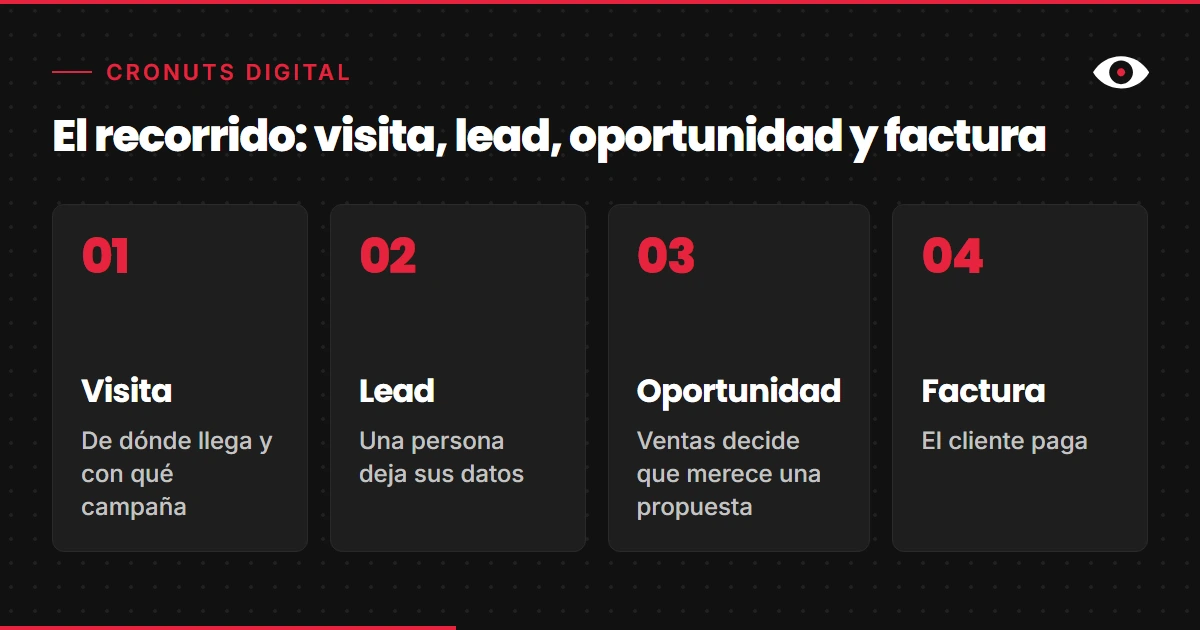
In many companies each stage lives in a different system and is maintained by a different team. In my experience, the underlying cause is usually that nobody is accountable for the whole journey, more than the tool.
Where traceability is lost
Traceability is not lost all at once. In my experience it is lost at the seams between one stage and the next, and each seam has its usual failure:
- From visit to lead. The campaign parameters do not travel with the form if the form does not capture them. The CRM then receives a name and an email with no source.
- From lead to opportunity. Sales works the contact, but often nobody changes the status in the CRM. Marketing cannot optimise what sales does not record.
- From opportunity to invoice. The invoice is usually issued in another program, sometimes under a different company name and without the CRM identifier. Often nobody matches them.
- Outside the website. Phone calls, WhatsApp messages and direct emails do not go through the form, so they do not count as a form conversion unless someone records them separately.
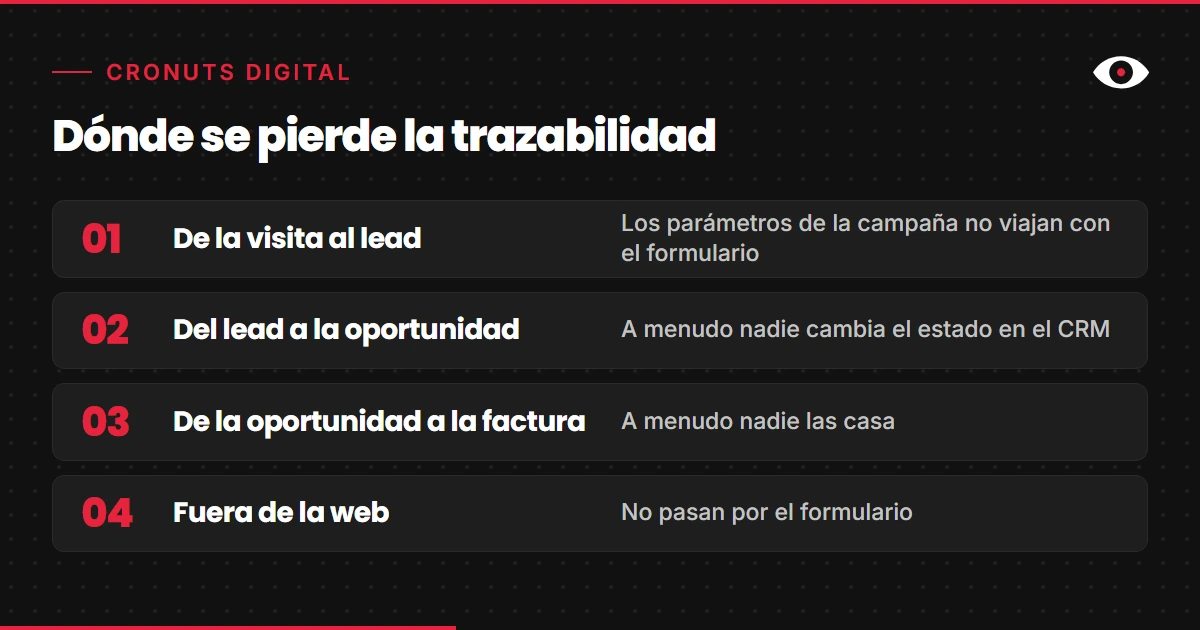
Each break can usually be fixed, but it pays to know which one is yours before paying for another tool. Changing CRM or dashboard does not on its own fix a seam that nobody has stitched.
What to measure at each step
You do not need to measure everything. You need one useful metric at each stage, one that can be broken down by channel and by campaign:
- Visit to lead. How many forms reach the CRM with the source saved. It is a data quality metric, not a performance one, and it is the first one worth reviewing.
- Lead to opportunity. What share of each channel’s leads becomes an opportunity. Total leads can mislead: a cheap channel whose leads never become opportunities turns out expensive.
- Opportunity to invoice. How many close, how quickly and for what amount.
- Cost. Cost per opportunity and cost per customer, as well as cost per lead.
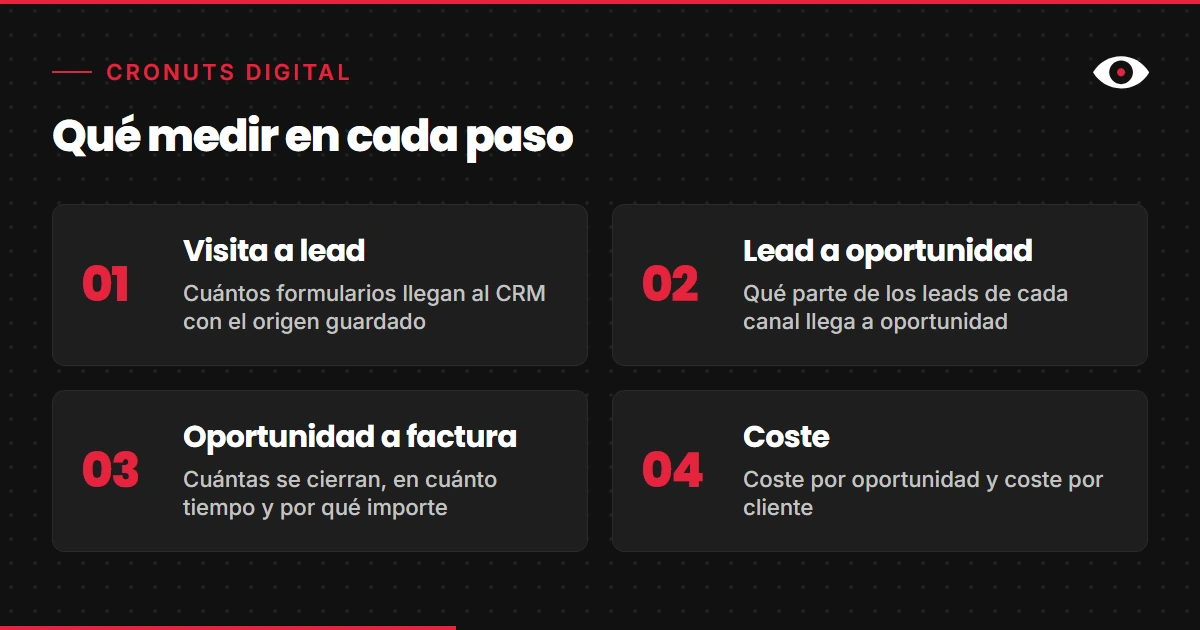
With those four readings you can answer the question that matters: which campaign is buying customers and which one is buying forms.
Offline conversions in Google Ads and Meta
When the opportunity or the invoice is recorded in the CRM, that result can flow back to the ad platform. Google Ads lets you import offline conversions, linked to the click identifier (GCLID) or to hashed customer data, and it also offers enhanced conversions for leads, which reinforce measurement with hashed form data. That way you can measure which ad clicks ended in a sale outside the website.
On Meta the equivalent is its Conversions API, which sends offline events from the company’s server. You will find a technical explanation in our glossary entry on Meta CAPI and the Conversions API.
It is plumbing, not magic. For the click identifier route, Google’s own help says you must store that identifier together with the contact’s details. Without it, the hashed customer data route remains, which depends on having that data and being allowed to process it: personal data can only be processed if one of the lawful bases applies, such as consent, set out in Article 6 of the GDPR.
At cronuts we work on this from analytics: we connect each lead with the channel and the campaign that originated it, and we bring web, CRM, ads and ERP together in a single data warehouse. You can see how we approach it in our analytics and attribution work.
The CRM as the joining point
A CRM stores what someone tells it, and without that record there is no data to measure. Before choosing a tool it is worth deciding what it must record: the stages of the opportunity, the reason when it is lost, the source of the contact and the link to the invoice.
That is why we start with a diagnosis of the sales process and not with the tool. And we do not resell licences, so our fee does not change depending on the CRM you end up using. If you want to compare options with that criterion, there is our CRM diagnosis and selection.
A simple CRM that the sales team fills in every day is worth more than a complete one nobody opens. In my experience, traceability depends more on recording discipline than on the brand.
What I would do this week
I would take the last ten sales and rebuild them backwards: from the invoice to the opportunity, from the opportunity to the lead and from the lead to the campaign. For each one I would note at which stage the trail is lost. The stage where it happens most often is the first one I would fix.
After that I would check two things. That the form saves the source together with the contact, and that sales marks the status of each opportunity in the CRM, and the reason when it is lost. With that you can start measuring quality and not just quantity.
Frequently asked questions
What is the difference between a lead and an opportunity?
A lead is a person who has left their details. An opportunity is a lead that sales has assessed and considers worth a proposal. Measuring only leads counts someone who buys and someone who just wants information as the same thing.
Why is counting form submissions not enough to measure sales?
Because in the Analytics accounts I review, the conversion is usually the form submission. What happens afterwards (whether the contact was suitable, whether they asked for a proposal, whether they paid) lives in the CRM and in invoicing, and only reaches Analytics if someone connects it.
What is an offline conversion?
It is a sale or an opportunity that happens outside the website and is reported back to the ad platform. In Google Ads, offline conversion import is linked to the click identifier (GCLID) or to hashed customer data, and it lets you measure the offline impact of a click on an ad. Meta has its Conversions API, which sends events from the company’s own server.
What data should the form save so the source is not lost?
To import offline conversions into Google Ads via the GCLID, you must store the click identifier together with the contact details, according to Google’s own help. In my experience it is worth adding the campaign parameters and the landing page. Everything must travel with the contact to the CRM and not stay only in the browser.
Do you need a CRM to measure sales by campaign?
You need some system where the contact’s source, the status of the opportunity and the sale are recorded. It can be a well-known CRM or a simple custom one. What matters is that the sales team fills it in every day.
How do I know where traceability breaks in my company?
Rebuild your latest sales backwards, from the invoice to the opportunity, the lead and the campaign. The stage where the trail is lost most often is the one to fix first.
If you want to know where your account’s journey breaks, start with the free diagnosis.